Estimated reading time: 12 minutes
Church prayer request management is about more than putting a prayer form on your website. It is the full path from someone asking for prayer to your team reviewing the request, praying, following up, and eventually celebrating what God has done.
Every Sunday, people carry things they barely tell anyone about.
A diagnosis. A marriage under strain. A child far from faith. A job that may end next month.
At the same time, every church makes a quiet choice about how easy or hard it is for people to bring those things to the prayer team.
In many churches, asking for prayer still takes more effort than it should.
Someone has to find a card and a pen. Another person may send an email that only one staff member checks. Meanwhile, someone else sends a Facebook message that disappears into a personal inbox.
The desire to ask for prayer is already there.
Often, the path is not.
Good church prayer request management gives that desire a clear path. It connects asking, reviewing, praying, following up, testimonies, and celebration instead of leaving each step to chance.
The life of a prayer request
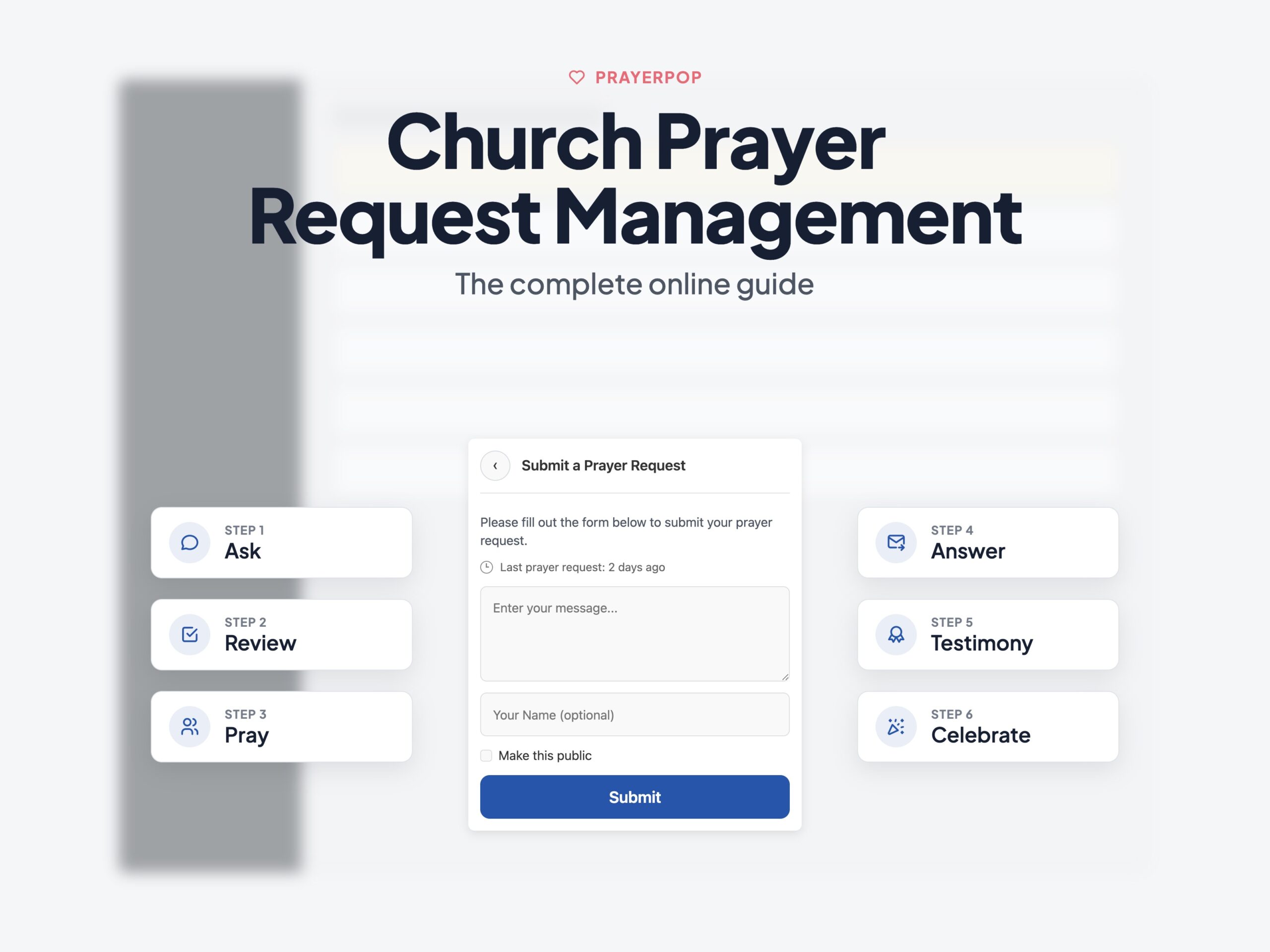
A healthy prayer workflow has six stages.
However, many churches handle the first one or two well and then improvise the rest.
- Ask: Someone sends a request in a simple and private way.
- Review: A real person reads it and decides what should happen next.
- Pray: The request reaches the people who will actually pray.
- Answer: When God answers, the church records what happened.
- Tell: The answered prayer becomes a testimony.
- Celebrate: The church hears what God has done, which makes the next person more willing to ask.
Church prayer request management means building all six stages on purpose.
James 5:13 to 18 shows prayer as something believers practise together. People in trouble pray. The sick call for the elders. In the same way, believers pray for one another.
Therefore, a church prayer process should help that kind of care happen more easily, not stand in its way.
Read James 5:13 to 18.
Stage 1: Make asking easy
The first problem to solve is friction.
Every extra step can stop someone from asking.
For example, they may need to find the right page, print a card, create an account, or search for an email address.
As a result, the people who stop halfway may be the very people carrying the heaviest things.
Good church prayer request management starts by making that first step easy.
Meet people where they already are
A prayer option that appears across your website gives people a clear way to ask for prayer whenever the need comes.
For example, a small prayer bubble in the corner can work from the sermon page, an event page, the home page, or anywhere else.
Someone reading Sunday's sermon page at 11 p.m. should not have to hunt for a hidden prayer page first.
Instead, let them ask for prayer from where they already are.
Ask only for what you need
A first name can help.
Likewise, an email address may help if the person wants a reply.
Still, the prayer request itself is what matters most.
Everything else should earn its place.
Do you really need a phone number?
Or a full address?
Do you really need five required fields before someone can ask for prayer?
In most cases, church convenience is not a good reason to collect more personal information than you need.
Let people stay anonymous
Some prayers only come out when people know they can remain unnamed.
If your form forces everyone to give a name, some requests will never reach your team.
Therefore, an anonymous option is not a loophole.
For some people, it may be the only reason they feel safe enough to ask.
Take extra care with requests about someone else
A request may say:
Please pray for John. He was diagnosed with...
This happens often, but it creates a privacy problem.
John did not send the request.
More importantly, John may not know someone shared his diagnosis.
He certainly did not agree to have it published online.
For that reason, the safest choice is to remove details that could identify another person unless there is a good reason to keep them.
Before you publish sensitive information about someone who did not submit the request, speak with the person who sent it.
The Methodist Church data protection guidance raises similar concerns about health information shared in prayer settings.
Stage 2: Review church prayer requests with a real team
A prayer request should not go straight from the form to a public page.
Someone may write it late at night while upset.
In addition, the request may contain private information, a mistake, spam, or words the person never expected the whole church to read.
For that reason, a real person should review it first.
This is where church prayer request management stops being one person's job and becomes a team process.
Two questions matter most.
Who can see the requests?
Prayer volunteers should not need full WordPress administrator access just to read and manage prayer requests.
Instead, give people access only to the part of the system they need.
Nothing more.
We explain this in more detail in How to Let Your Church Prayer Team Work Safely.
What choices can reviewers make?
Decide this before the first request arrives.
For example, your team may need options such as:
- Keep private
- Share with the prayer team
- Approve for the public prayer wall
- Decline
- Archive
- Mark as answered later
A clear system helps the team act with confidence.
Without one, the first sensitive request can quickly turn into a debate about what the church should do.
When a request needs more than normal review
Most prayer requests can follow the usual process.
However, some cannot.
A prayer request may be the first place where someone says they are in danger.
That may include:
- Thoughts of self harm
- Abuse
- Domestic violence
- Threats to someone's safety
- Concerns involving a child
- Other serious safeguarding issues
Because of that, do not wait for such a request to arrive before deciding what to do.
Your church should know:
- Who receives serious requests: Choose a named pastor or pastoral care leader instead of leaving the decision to whichever volunteer happens to be online.
- How quickly the team escalates them: Reviewers should know who to contact and what to do when they feel unsure.
- What confidentiality means: A prayer form is not a confidential crisis service. Therefore, do not promise something the church cannot guarantee.
- What the form tells people: Make it clear that the prayer form is not watched around the clock and should not replace emergency services.
A short written plan can cover all of this.
Most churches will rarely need it.
Still, when they do, it matters.
Stage 3: Let the church pray
A prayer request that reaches an inbox and goes no further is not much of a prayer ministry.
It is a filing system.
People in your church want to pray.
So, give them a clear way to do it.
A public prayer wall can turn approved requests into something the congregation can act on.
People can:
- Read requests
- Pray
- Mark that they prayed
- Share appropriate requests
- Return later and see what happened
A prayer wall can also spread attention more evenly.
Without one, people often notice only the newest request or the loudest story.
We cover this in more detail in How to Create a Prayer Wall on Your Church Website.
In addition, that guide looks at what belongs on a public wall and what should stay private.
Stage 4: Close the loop when God answers
This is where many prayer systems quietly stop working.
The request came in.
People prayed.
Yet nobody heard what happened next.
Strong church prayer request management should not stop when the prayer team receives the request.
Closing the loop takes two habits.
First, mark the request as answered when there is a clear outcome.
Then, add a short note if it helps explain what happened.
Second, tell the people who care.
That usually means two groups.
The person who asked
A private follow up email may be enough.
The church
When appropriate, the answer can become part of the public prayer wall or testimony flow.
Follow up should also have an end.
Therefore, do not leave automated messages running forever.
Instead, set a clear time window that fits your church.
PrayerPop uses a 60 day follow up window after approval by default.
The exact number matters less than having a clear end.
You can read the full process in From Request to Answered Prayer Testimony in 5 Simple Steps.
Stage 5 and 6: Turn answers into testimonies and culture
An answered prayer creates a natural moment to ask for a testimony.
At the same time, testimonies do something powerful inside a church.
They show people that prayer is not just a form people fill in.
Someone asked.
People prayed.
Then, something happened.
When the church hears those stories, asking for prayer can start to feel less risky.
The process looks much like prayer request management:
- Make submission easy
- Let a real person review it
- Get the person's consent before publishing
- Share it with the church when appropriate
However, the result is different.
The prayer wall stops being only a list of needs.
Instead, it starts becoming a record of what God has done in your church.
What real churches do with prayer requests
Churches already use many of these ideas in practice.
Spencerville Church lets people choose who may see their request.
For example, the options include pastors only, the prayer ministry team, or the public.
Fallbrook Church reviews requests before they appear on its public wall.
In addition, the church asks people not to include private details such as home addresses and phone numbers. It also warns people to take care when sharing information about someone else.
Two patterns show up again and again in healthy prayer systems:
- The person submitting the request gets a real choice about visibility
- A human reviews the request before anything becomes public
If you skip either one, problems become much more likely.
Where church prayer request management should live
Where you run church prayer request management matters almost as much as how the workflow works.
Two questions shape that choice.
Who controls the data?
Prayer requests may contain some of the most private information a church ever handles.
Keeping the main data inside your own WordPress database gives your church more control over where it lives and who can reach it.
As a result, you keep more control than if every request goes into a hosted prayer platform or outside chat service.
However, self hosting does not mean that no outside service ever touches your data.
Your church may still use:
- A hosting provider
- A mail service
- Backups
- Security tools
- Other WordPress plugins
The important difference is that your church can review those choices and change them.
We cover this in Prayer Request Privacy: 7 Ways to Keep Requests Safe.
For churches in the EU and EEA: Prayer requests may contain sensitive personal information, including details about health and religious belief. GDPR gives this type of data extra protection. Therefore, churches should know why they collect it, explain how they use it, limit who can access it, set clear retention rules, and get the right consent before publishing sensitive information.
You can read more about personal data protection on the European Commission website.
Who owns the prayer history?
Your archive of prayer requests and testimonies becomes part of your church story.
For that reason, the history should not disappear because you stop paying for one service.
Your church should be able to keep the data, export it in useful formats, and move to another system later if needed.
If this matters to your church, read Prayers as WordPress Posts: 3 Reasons Data Ownership Wins.
Both privacy and ownership point toward the same idea.
Keep the main prayer workflow inside systems your church controls.
Even tools such as Planning Center recommend limiting sensitive prayer requests to small groups.
That becomes much easier when your church controls where the data lives and who can reach it.
Church prayer request management during campaigns
Daily prayer requests follow one rhythm.
Prayer campaigns follow another.
For example, a church may run:
- A 24 hour prayer chain
- Forty days of prayer
- Prayer coverage for a mission trip
- A week of fasting and prayer
- Prayer slots around a church event
At that point, the challenge changes.
You are not only collecting requests.
Instead, you are also managing time slots, signups, reminders, confirmations, and changes.
A spreadsheet may work for a small campaign.
However, as the number of people and time slots grows, it gets harder to manage.
In addition, the person running it may be a volunteer who already has a full time job.
That is where a prayer campaign system helps.
Read How to Organize a Church Prayer Campaign in 7 Steps for the full process.
For round the clock prayer, see How to Run a 24/7 Prayer Chain From Your Website.
Choosing a church prayer request management tool
Whatever tool your church chooses, it should handle the whole prayer process rather than only collect form entries.
Use this checklist.
- People can send prayer requests from any page
- A real person reviews requests before publication
- Private requests stay private
- Sensitive requests can go to a small trusted team
- The form explains what people should do in an emergency
- Prayer volunteers get focused access instead of full administrator rights
- The prayer wall helps people pray, share, and celebrate testimonies
- Your team can mark answered prayers
- Follow up ends after a clear period
- The system supports prayer campaigns and time slots
- Your church keeps control of its data
- You can export the data and keep it if you stop using the tool
We built PrayerPop around these needs.
In addition, the smaller details that make the system work in real church life are covered in Prayer Plugin Details: 9 Small Things Churches Love.
Start your prayer request workflow this Sunday
You do not need to build the whole system in one day.
Instead, a good first month can stay simple.
- Turn on a prayer request form that people can reach from every page.
- Choose one or two people to review requests.
- Name one person who handles serious safeguarding concerns.
- Give each person only the access they need.
- Tell the church how to send a prayer request.
- Repeat that message for a few weeks.
- Finally, when the first prayer gets answered, mark it and tell the story.
People already want prayer.
The church does not need to create that desire.
Instead, it needs to give that desire a clear path.
Good church prayer request management helps make that path reliable.
When asking, praying, following up, and celebrating become normal, prayer starts to feel less like a feature on the website and more like part of church life.
Ready to build that process?
Explore the PrayerPop features, try the live demo wall, or contact us.